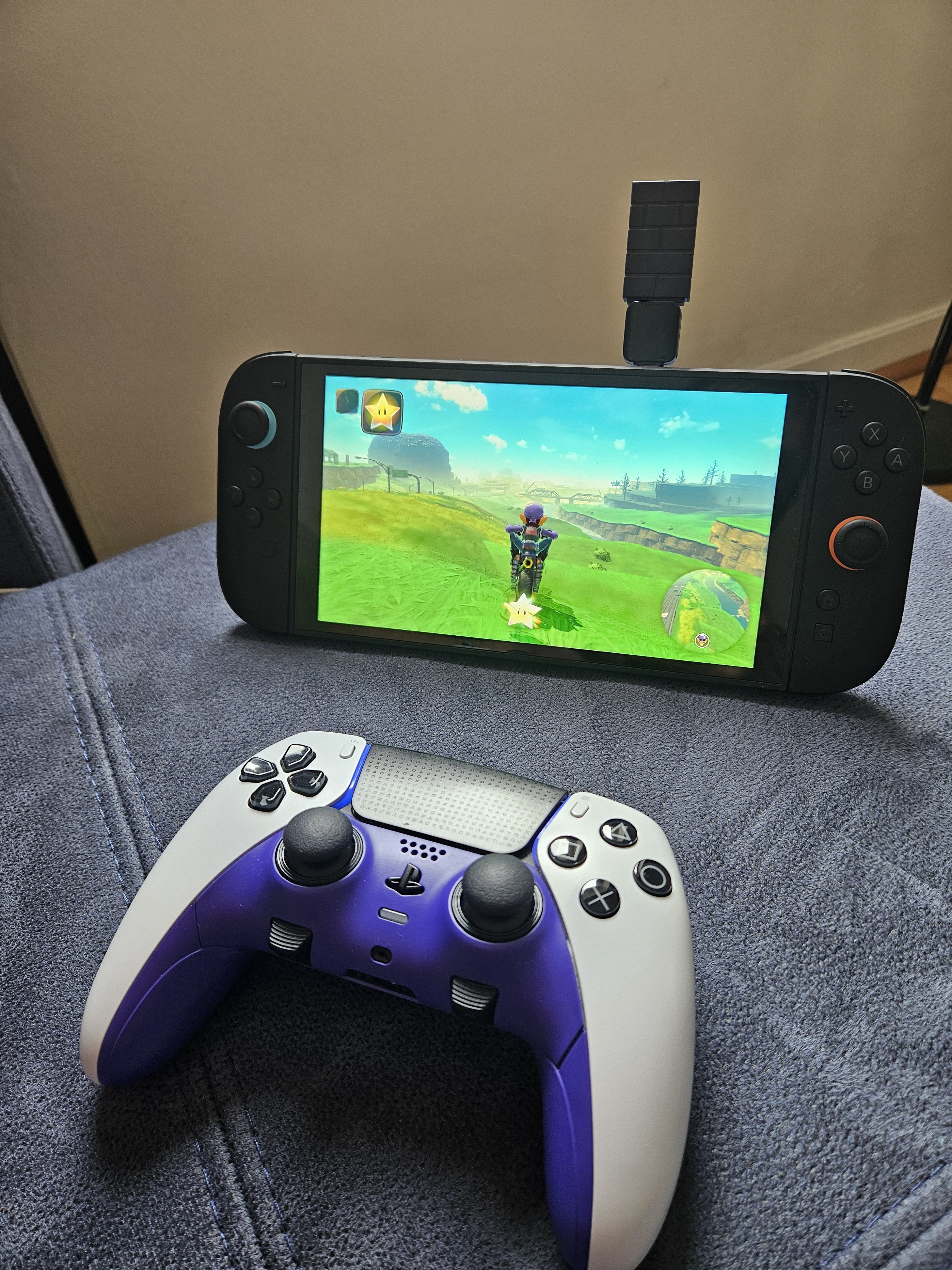
In my search for Switch 2 back buttons I've already bought and returned the charging grip (I found the buttons clicky and uncomfortable to use, as I do the whole grip really), and so my last attempt before splashing out on a Pro Controller 2 was to buy an 8bitdo Wireless Adapter 2 to use my Dualsense Edge with.
Setup
- Since the dongle does not natively support Switch 2 a computer is required for setup. The process was simple, two pieces of software were needed, one to update the firmware to the latest which is compatible with Switch 2, and another (optional) for setting up the controller.
- The firmware update hung the first time I tried it, but it can be safely closed and reattempted without issue.
- The software configuration is not needed since you can pair directly, but I wanted to rebind the touchpad to the – button, if you do this you will need to manually change profiles each time you connect it (using L1+R1+L3+R3). Unfortunately the touchpad is the only button bindable to the screenshot button for some reason, so if you wish to do this you will need to change profiles for screenshots.
- Pairing to the controller is easy enough and does not require a computer, hold Share+PS and hit the pair button on the dongle and it's pretty instant, though occasionally I might need to do this twice for it to be recognised.
- Edit: if you want to use the Dualsense Edge back buttons then be aware that neither the software nor the Switch detect the back buttons, so as far as I'm aware you'd need to set up the profiles on a PS5 to use those buttons
- You may also need to enable Wired controller support in the Switch settings if it's not enabled already.
Performance
- The general performance of sticks and buttons seem to have no perceptible lag, and besides not being able to turn the console on from the controller you could be fooled into thinking it was a native controller.
- The gyro is fully supported, and works well. This is one area where I wouldn't exactly say it feels native, because side-by-side with a Joycon it feels a little off. It's not the controller, since the same controller has great gyro on PC (or connected directly to a modded Switch without the dongle), but whether it's caused by a tiny amount of latency or the acceleration profile from the dongle it's still slightly different, and might feel a little strange at first. It doesn't even affect accuracy from my tests in BOTW and TOTK, but you might take some getting used to.
Worth it?
- If you care about back buttons:
- If you already own a pro controller like the Edge then I think the £15 is an easy choice over a £75 Switch 2 Pro Controller (I'll be keeping adapter).
- If you don't have one and only play on Switch/PC then Pro Controller 2 is the obvious choice.
- If you don't care about back buttons:
- If you want to use your Xbox controller and don't care about gyro then this is probably still worth it.
- However, if you want to use a regular Dualsense and are invested in gyro, you might better off paying a little more for a Switch 1 Pro Controller (£40 where I am) for a more seamless and native experience.
—
Anyone else used this dongle with their Switch 1/2 and have a different experience or different advice? Would be interested to hear others' experiences.
Edit: It also works in handheld but it ain't pretty. I need to get an adapter that's on a short cable but this is all I had. Good enough for plane and train journeys at least.
by Lopsided_Hunt2814
8 Comments
Thanks for the info. I don’t have a Switch 2 yet but was wondering if my adapter 2 would work when I do.
Does rumble/vibration still work??
I have an 8bitdo ultimate (the original version with the Nintendo ABXY layout and a dongle to use 2.4ghz on other devices) is there any way of getting to use those back buttons? I couldn’t figure out a way yet!
FYI OP, there is a piece if software Sony released that lets you change and set up Dualsense Edge profiles on your PC, so you can cut out the PS5 step here if you’d like.
I ordered one last night so I’ll report back when I set it upl
I’m using my Stadia Controller with that dongle!
I have the USB Wireless Adapter 1 and works just as good with both the Switch 1 and the Switch 2 after the update, with a normal Dualsense.
My only issue with it is that it doesn’t tell you when the dualsense is running out of battery, so it turns off without warning.
Anyone know if the dongle works with victrix pro bfg?