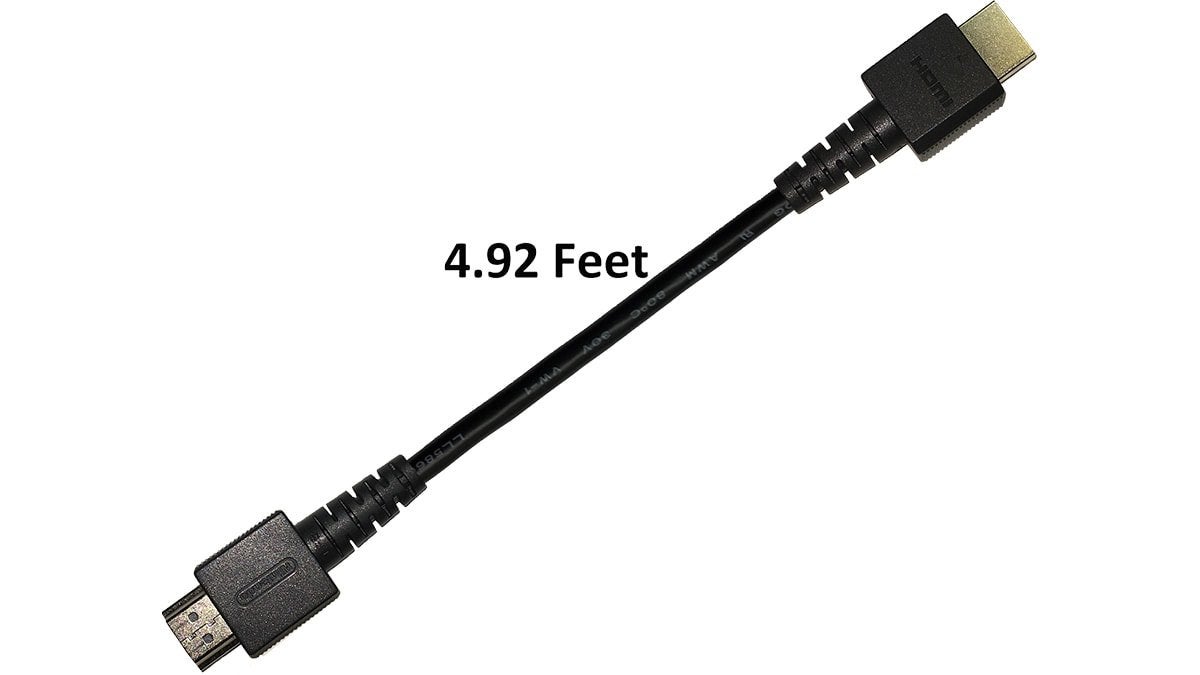
TL;DR – Use an HDMI 1.4 cable, you will no longer experience random black outs.
I have been researching this issue over the past 2 months in my spare time and I have found the solution. Mind you, this only impacted my Switch OLED and did not affect my launch day Switch. I will go into more detail shortly as to why, but I think it important to state that I have tried everything that is available on any website/forum/troubleshooting guide that exists in the English language.
First and foremost, my setup:
I have an LG C9 on the latest firmware update as of the time of this post (5.0.25 or something like that, it’s not important). I have a Nintendo Switch OLED, also on the latest firmware update as of this post, and I only use all official Nintendo supplied cables and accessories – nothing 3rd party.
The problem/issue:
At completely random intervals (I tried timing each occurrence, but when reaching over 50 logs, there are no patterns) my screen will go black on the TV when playing docked. Now, it is extremely important to understand the details of my issue because it is similar to other issues that include hearing sound or lots of tiny flickers but this is not relevant to those. As I was saying, at random intervals, the earliest occurrence being 7 minutes from turning on the Switch, and the latest being 1 hour 22 minutes, my screen on the TV will go black for about 4-5 seconds. During that time, the Switch screen will not come on, as it is still in docked mode and knows that it is still in docked mode. The green LED on the Switch dock stays solid green and never wavers or flickers nor blinks. The TV will not indicate any status abnormality or change – no signal lost, no source change, no game mode launch, no instant response latency indicator, no HDR/Dolby indicator, it simply goes black with NOTHING else happening. Furthermore, the TV does not shut off either, there is an option have have the power LED indicator on the C9 and this never flickers nor blinks either, it stays solid.
During this black out, your game still plays; you still maintain full control of whatever is going on during any game; this was easy to test by making my character just run one direction during the blackout and see that he was in a different spot post-blackout. You lose all sounds as well, and there is no weird noise or static, simply silence. ***Not having sound is a key distinguishing factor between this issue and several other issues reported that are similar in nature, but on those other issues you can hear sound. If you can hear sound during your black screen problem, stop reading here, unfortunately this is not the fix for your issue.***
When the TV starts displaying the game after the black out, everything is fine and it may occur again, but this only ever happened 3 times, all over an hour duration from the first occurrence. Anyway, this isn’t really important because the solution is so damn simple. I am really just trying to paint the most accurate picture of what many people are suffering from but they cannot find a solution ANYWHERE online, nor with Nintendo, nor with LG customer support.
Troubleshooting:
Guys, I will spare you the details on this one because I seriously spent months systematically testing each and every possible outcome, isolating every variable, driving my wife insane, and invested some serious cash as well. I am a Biomedical Equipment Technician by trade and troubleshooting weird stuff is second nature to me. I promise you, if you read anywhere something that someone tried, I’ve done it. They do not work, it’s a placebo effect and it will happen again.
***The caveat to the previous statement is if you have an LG C9 or similar model OLED TV from LG that uses the same firmware, then my solution is the only fix. Other solutions out there may have indeed worked for Samsung panels or other brands, but when you see the solution explanation you’ll understand ***
Solution:
I will just cut right to the chase for people wanting to know how to fix it and do not care why. I will explain why this works in the next section.
Use an HDMI 1.4 cable, you will no longer experience random black outs.
Explanation of Solution:
The new Nintendo Switch OLED dock has had its HDMI port upgraded to 2.0 for whatever reason and also ships with an HDMI 2.0 cable. The Nintendo Switch LCD models come with a dock that has an HDMI 1.4 port and ships with an HDMI 1.4 cable. For enhanced clarity, the HDMI 2.0 cable is super soft and bendy, very flexible and almost feels like a soft-touch matte finish. The HDMI 1.4 feels very resistant to bending, and has a glossy like coating. Furthermore, on Nintendo’s website the official SKUs are:
1.4 HDMI Cable: 104947
https://www.nintendo.com/store/products/hdmi-cable-104947/
2.0 HDMI Cable: 116474
https://www.nintendo.com/store/products/hdmi-cable-switch-oled-model-116474/
So, the difference between a 1.4 and 2.0 cable makes absolutely no difference in regard to how the Switch plays, functions, performance, etc. This is further supported by the fact that Nintendo does not mention it anywhere, because it simply does not matter – my guess would be that HDMI 2.0 is easier and cheaper to manufacture due to 1.4 being so old and dated at this point.
Now the fun part, so, theoretical bandwidth of a 1.4 cable is about 10 Gbps, and for 2.0 it is about 18 Gbps. Because of the increased bandwidth there is more meta-data that is transferred alongside your display and audio data; things like the system name, bit depth, etc. are transferred to my understanding. I am not an AV expert by ANY MEANS so here is a lovely chart that explains the differences https://en.m.wikipedia.org/wiki/HDMI#Version_comparison
Essentially, there seems to be a handshake issue between the LG C9 firmware and the Switch firmware by way of this extra meta-data being transmitted along the HDMI 2.0 cable that is not transmitted via 1.4. Again, this meta data has no effect on our Switch performance at all, it is simply extra info for the display’s processor to assist in fancy functions that the Switch does not use. By using a 1.4 HDMI Cable, we can eliminate this extra meta-data being sent, thus eliminating the handshake issue, and resolving the internment black screen interruption.
It has been about a week with no blackout after installing a 1.4 cable and I am 100% confident this is the solution. Perhaps my reasoning with the meta-data is completely wrong and it is due to some other reason. But, all I know is that an HDMI 1.4 cable solves the intermittent blackout issue.
I hope that someone much smarter than me can take my findings and replicate this bug in the code or something and report it to Nintendo and/or LG in order to enhance customer satisfaction and alleviate this issue. Please pass this along to anyone on any forum and use it however you see fit. I don’t want any credit, as long as this helps at least one other person then it was all worth it.