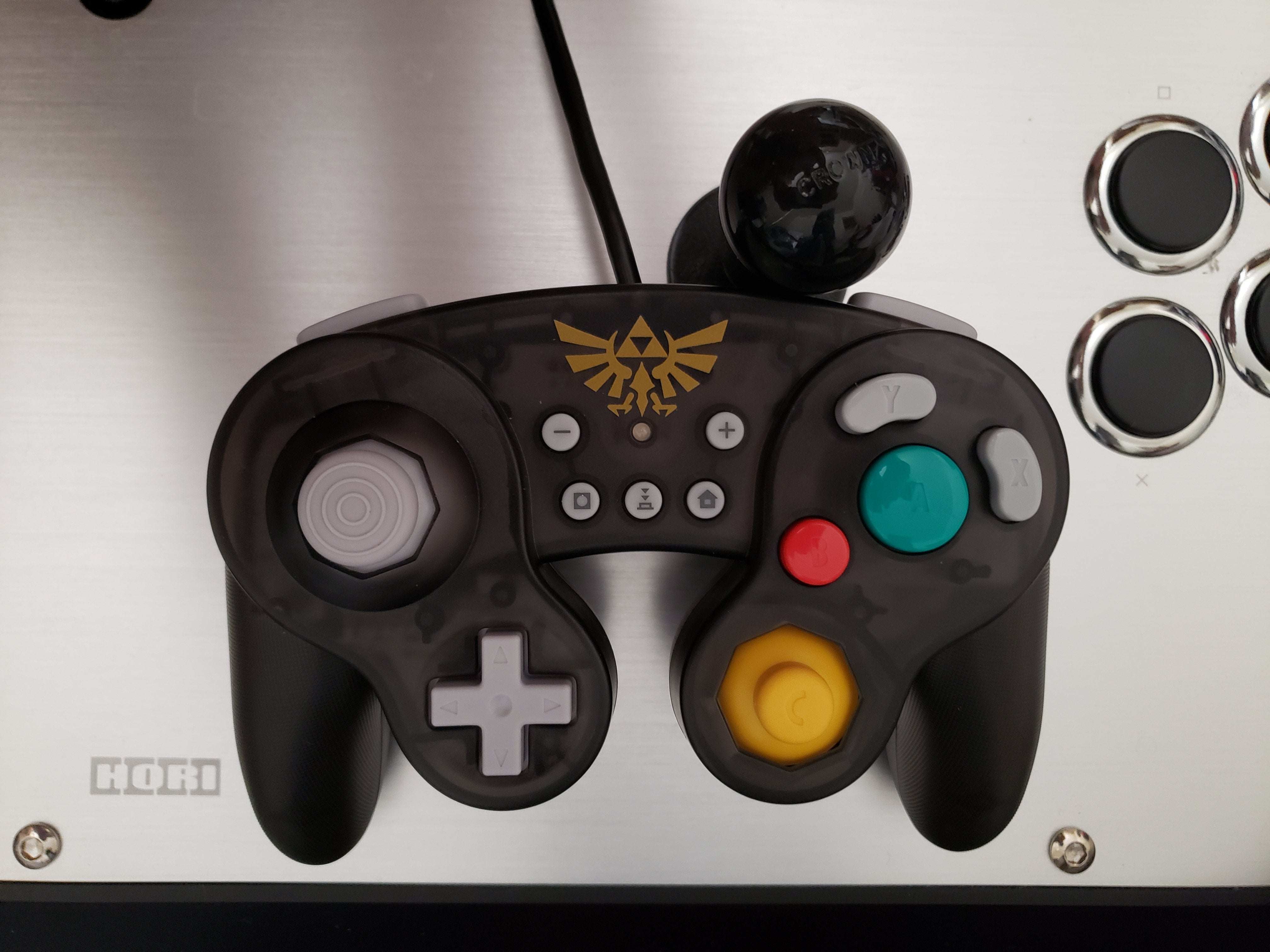
I was recently checking out GameCube-style controllers for PC/Dolphin gaming, but I couldn’t find any reviews that actually explain \*why\* (or why not) a controller was comfortable to use. I’d like to change that with this review by helping people know what to look for in a controller.
I initially chose the Hori Battlepad because it closely matches the original GCN controller in appearance and I trust Hori, which makes good arcade sticks (and now, gamepads). This is supposed to be a cheap alternative to an official GCN controller, but it’s definitely good enough to deserve some respect.
Let’s get down to it.
___
​
**The Stick:**
The main stick on the Hori Battlepad has a shorter throw (travel distance) with a more defined octagonal gate. The stick is also very snappy – it’s very easy to snap it in any direction, and it snaps back into neutral quickly. Combined, this makes it very easy to guide the stick and feel which direction you are pushing. Great for traditional platformers and other games in which you commit to the 8 main directions. Easy on your thumb.
In comparison, the original GCN con’s stick has higher tension that grows the further you go, along with a wide throw because of the gate is wider and less defined (smoother/”rounder”). This makes it tougher to handle in general and makes finding directions more difficult.
Ex. Dash dancing (or any usual, defined directional movement) is much easier with the Hori, but it would take greater precision control to do directional, non-Smash attacks since it is very easy to push the stick to go all the way to the end of the gate.
The Hori Battlepad’s C-stick is also much like the main stick, but the throw remains similar to the original GCN controller’s C-stick. Hori also has a bigger D-pad, which is slightly better, but still nothing to write home about.
UPDATE: Both the main stick & C-stick have a noticeably large dead zone. Very subtle tilts will not be read; the sticks must be pushed about 1/4 of the way for an input in that direction to be read. Perhaps this was a design choice made to compliment the snappy stick, but I don’t believe a large dead zone was necessary.
**The Buttons:**
The buttons are clicky like tougher mechanical keys, that “click” in deeply when engaged. The Y & X Buttons also stand much taller than the A Button, which I find to be a great ergonomic choice to fit the curve of your thumb. Clicking a fast succession or combination of multi-button inputs feels very good, much better than on the original controller. Very crisp. The original GCN buttons are mushier. The buttons are softer and have a shallow depression.
The shoulder Z Buttons (ZL/ZR) have been changed to be like standard buttons. The L/R triggers are completely different (no deep grooves for your fingers to rest in) and no longer analogue. More on these buttons in the next section…
**The Handles:**
The handles have a rough texture to prevent slipping. Not the smooth comfort of the original controller, but it is actually helpful when there is a real risk of the controller slipping from your hands’ sweat. The handles are also \*slightly\* smaller because they are not deeply grooved at the base. The lack of an inward curve at the base of the handles reduces the surface area available for your fingers. The Hori Battlepad is thus thicker around this area, and that makes it more of a stretch for your finger to move up from the L/R buttons (where they naturally rest) to hit the shoulder Z Buttons.
**My Verdict:**
Overall, 8/10.
Point deductions for the lack of a dip at the base of the handles causing an inconvenience in hitting the Z Buttons and reducing the surface area for your fingers to rest in comparison to the first-party controller. The dead zones of the sticks can also be a problem for games which require precise subtle tilts. It also doesn’t wow me visually.
However, this thing is plug-and-play (with a USB cable) and the rest of its features are actually a step up in from the original GameCube controller my humble opinion. You get all the additional Switch buttons like Home in addition to Start in the center of the Battlepad, too.
In terms of general control and convenience, the Hori Battlepad is quite good, and even impressive for something under $25.
[https://i.imgur.com/CzC97J9.jpg](https://i.imgur.com/CzC97J9.jpg)
by DblBeast