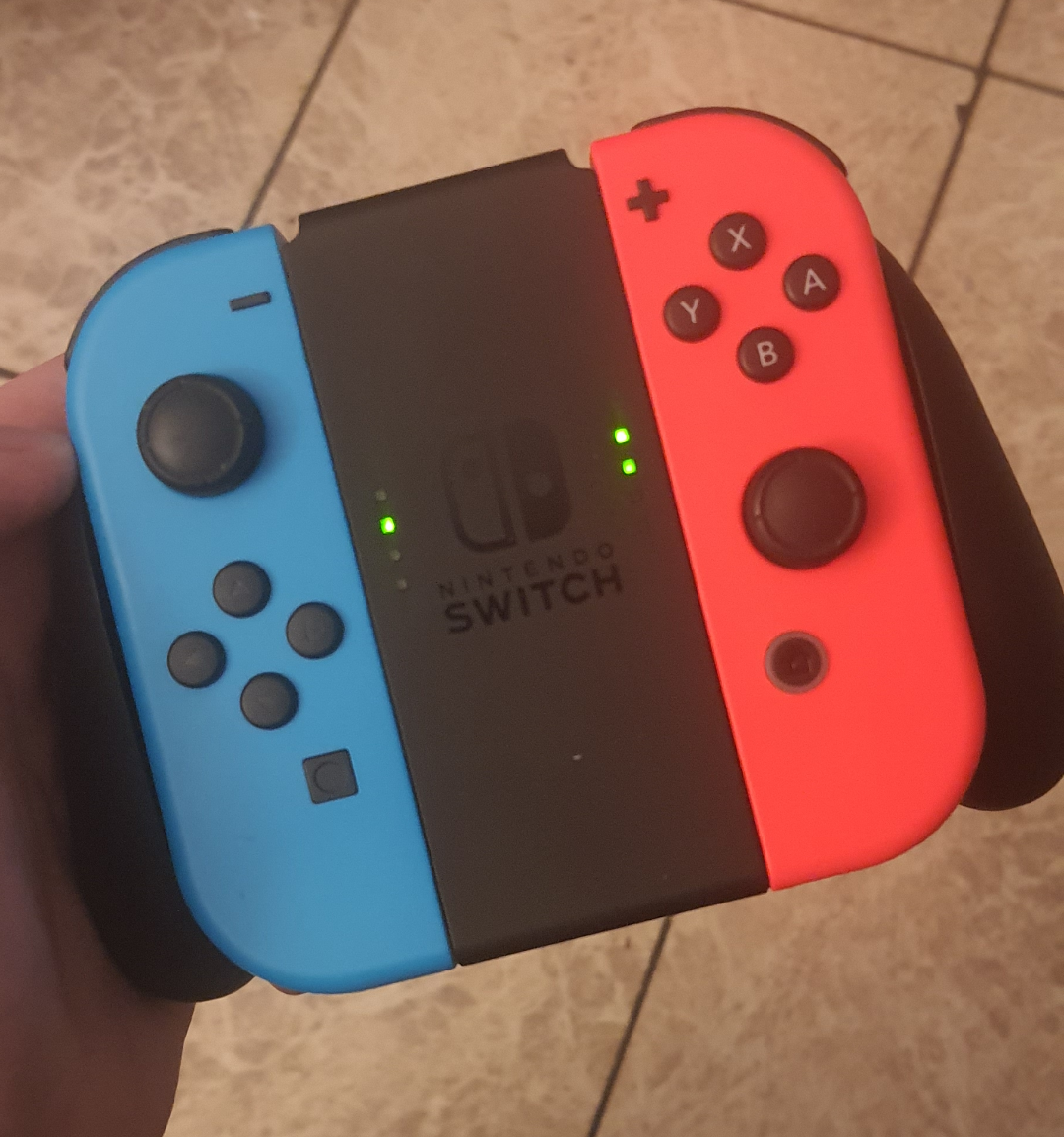
I need help! As soon as I put the Joy cons in this to play on the big screen they don’t connect anymore
by Confused_Cookie_
I need help! As soon as I put the Joy cons in this to play on the big screen they don’t connect anymore
by Confused_Cookie_
10 Comments
Well it looks like the blue one is connected as player one, and the red one is connected as player two.
Buy new ones.
Go to controller settings and reconnect them. Make sure to hold L and R at the same time.
Try updating the joy cons when they’re connected to the switch, that might help (you can do this in settings -> Controllers and Sensors -> Update Controllers)
Just go to controller change grip and then press l and r at the same time
Thank you all for your replies it worked by resetting the change grip thing and I also restarted my console
I know this has been resolved, but I don’t think I’ve ever seen mine do what blue is doing. Red thinks it’s attached to a dock and is indicating it’s controller 2. But if blue thought it was controller 1 and attached, it would show top dot. I’ve never seen 2nd dot by itself. Would that be like controller 5 or something?
This can also be a sign that one of the internal cables has gone – easy way to tell is take it out of the grip, hit sync and see if all of the lights light up in turn or if there’s one that stays dark.
when I put my joycons into my switch they don’t connect
why is the blue one only on the second light??