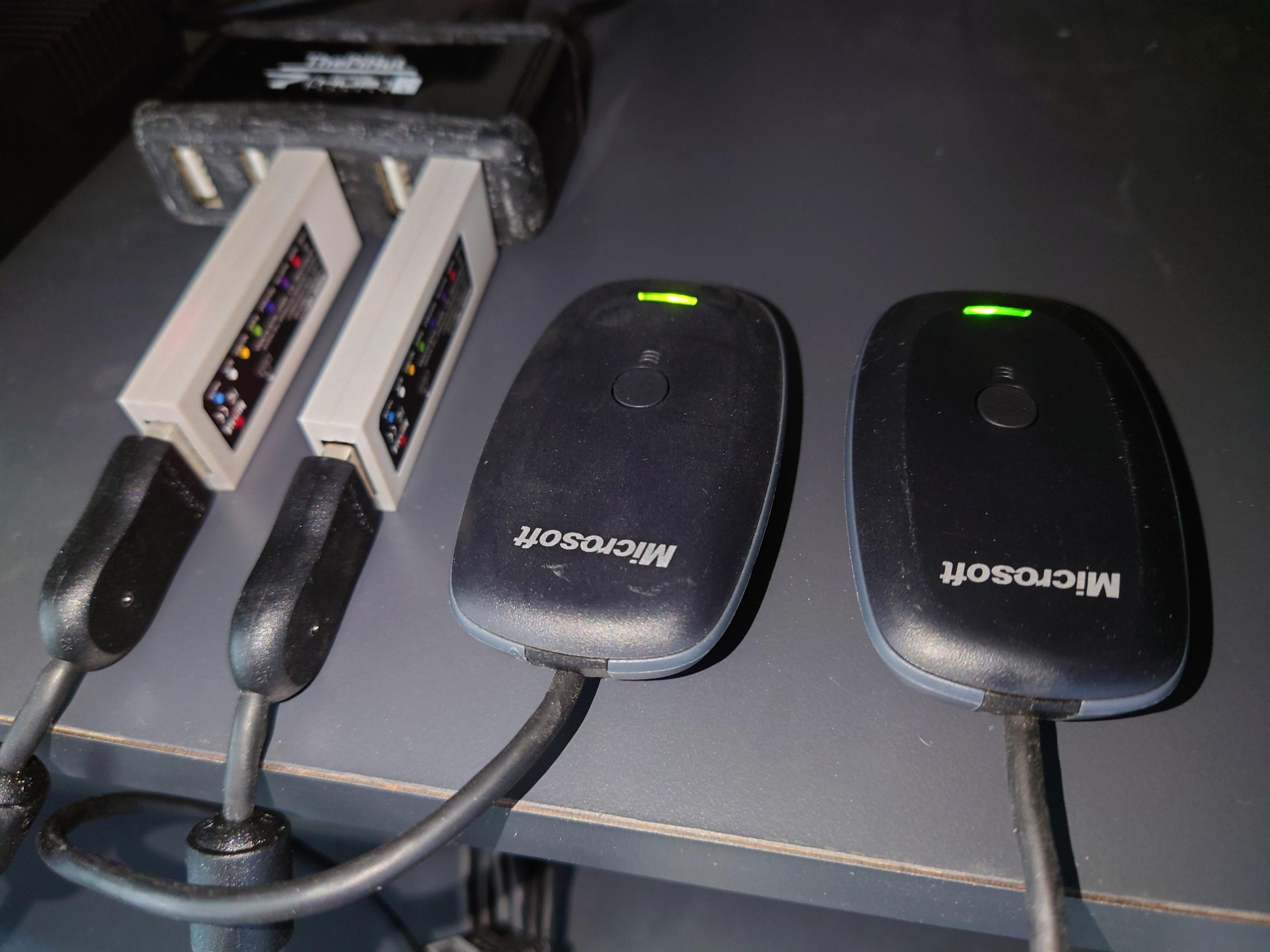
I purchased my Switch OLED about a month back and wanted to see if I could make use of some old Xbox 360 **wireless** controllers with it. However, the internet is [filled with](https://www.youtube.com/watch?v=k6vw2XG512Q&lc=UgzZFGqgLrxgXkFPqA14AaABAg) [conflicting](https://www.quora.com/How-do-you-connect-a-wireless-Xbox-360-controller-to-a-Nintendo-Switch) [information](https://www.reddit.com/r/NintendoSwitch/comments/ef3ple/does_xbox_controller_adapter_work_on_switch/) on whether such a setup would work when using the **Magic-NS adapters** and **Xbox 360 USB dongles** (the ones that allowed us to use the Xbox 360 **wireless** controllers on a PC)**.**
Long story short, they do work! The outdated information online is mainly because this feature was only released via a Magic-NS [firmware update (v1.21)](https://www.mayflash.com/Support/Magic_NS_Wireless_Controller_Adapter_V121_Adjust_the_controller_rumble_intensity.html). Hence, earlier posts/reviews indicated that it was only possible to use **wired** Xbox 360 controllers. Specifically, the firmware update changelog mentions the following:
>**2. Compatible with the Xbox 360 wireless controller by a Xbox 360 dongle.**
So if you wish to use your wireless Xbox 360 controller on your Switch, make sure to update the firmware on your Magic-NS first.
Some additional information:
* Each Magic-NS adapter only maps to a single player on the Switch. So even though the Xbox 360 dongle allows us to pair multiple controllers to it, the Switch doesn’t recognise them as multiple players. If you decide to do so anyway, the controllers will end up controlling the same player.
* And yes, I’ve tried using two sets of Magic-NS on the same Switch, in order to make use of two Xbox 360 **wireless** controllers. Works as intended.
* For reference, my Magic-NS hardware is version 1, rev 2.0.
* As for my hardware setup, my Switch is connected to a powered USB hub that houses the Magic-NS adapters with Xbox 360 usb dongles
* And yes, I’m aware that there are other ways to enable Xbox 360 wireless controllers on the Switch but that’s not the intent of this post, so let’s not go there.
Meanwhile, here are some photos of the setup.
[Powered USB hub, Magic-NS adapters, Xbox 360 dongles](https://preview.redd.it/mbrmk8zue99a1.jpg?width=4032&format=pjpg&auto=webp&s=e666b1f0e4a559b8fa1b7ea6aff5130b8cac95c7)
​
[Joycons and two Xbox 360 wireless controllers](https://preview.redd.it/l0wdytqze99a1.jpg?width=4032&format=pjpg&auto=webp&s=8f99a0818a67da12530734afba5cb4ad8b344e1d)
​
[Controllers showing up in-game](https://preview.redd.it/914dudm3f99a1.jpg?width=4032&format=pjpg&auto=webp&s=9836a7c1193d69e02f53ab3c14988d84fdb64395)
by speedyg0nz
5 Comments
Thanks for sharing! (+1 for the detailed post)
I like finding new and creative ways to link different components together.
Posts like these are why I always add “reddit” to weird obscure questions I need answered
I wonder if this would work with the Xbox one dongle ?
Or use this if u own a rpi:
[https://github.com/Aodrulez/SwitchX](https://github.com/Aodrulez/SwitchX)
Thank you for the detailed post!!! This is exactly the information I need. I ordered a Magic NS 2 after reading your post. It arrived yesterday and has been working well so far, except my Xbox 360 controller (wireless with an official Microsoft dongle) doesn’t rumble in games. I updated the firmware to v1.25, tried to max the vibration intensity (R3+RB+D-Pad UP), and tried to switch on and off HD rumble in the setting and rumble in games, but none of these solved the problem. I wonder whether you encountered the same issue? If so, how did you fix it? Thank you!