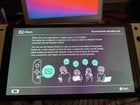
Did you know the switch can only store 1000 videos, even if you have more space available?
Well I hit that limit. I decided to put the sd card in my laptop and transfer over the album. I’ve done this before, so it shouldn’t be a big deal.
Seemingly went fine. Then I put the SD Card back in the switch and all my images are gone. That isn’t a big deal, but it’s kind of annoying. That hadn’t happened before. I looked it up online and someone else had this problem, their solution being to enter a terminal command on macOS.
Did so. It actually fixed it! My images are back!
But then I went to start a game. Wouldn’t work. NO GAME would work. And found out that everything on the sd card had been corrupted 😭
[Here’s some images in a twitter thread including the corruption error.](https://twitter.com/thenumber9door/status/1669228670018306048?s=46&t=Vd1TjqpLugiblFuSgHVQfw) On to download everything again! At least I actually got to save my images.
TLDR: Don’t save 1000 videos on your Switch.
by TurnaboutAdam
25 Comments
What could you possibly have 1000 videos of to place on your portable device?
Wait, don’t answer that…
I think your issue could have been with the terminal commands you entered without knowing
If you post them here, though, someone could give you some input on that
Genuinely curious what you have a 1000 videos of? Are you ever going to rewatch them? What’s the point? I have one video I took intentionally and that was new year in Animal Crossing… the rest of the videos were accidents lol
Something happened to the card during the process. It’s possible that it got zapped somehow with static. It’s possible the reader on your PC messed it up. It’s possible you thought you just copied out some videos, but ended up deleting part of the folder hierarchy in the card. Any number of things could have gone wrong. But the number of videos and their limit on the Switch is not what caused the problems.
Least video making dead or alive player
>I looked it up online and someone else had this problem, their solution being to enter a terminal command on macOS. Did so. It actually fixed it! My images are back!
I would be really curious to know those commands.
​
FYI: each sd card gets paired to the console. This is done for digital software: if you place your sd card in a new Switch, you will need to format some data on the card and re-download all your digital software. I had to do it when I switched from the 1st gen to the OLED console. If I had to guess, those commands messed up that data.
Ironically (in this context) the only thing that survives on the sd card are screenshots and videos. Everything else needs to be downloaded (and save games need to be transferred by transferring your user from the old to the new console).
I hit the 1000 limit sometimes but that isn’t the issue, all the times I try to back up my album on my pc, it works but again I’m on windows
I thought the limit was 100 videos.
f
For those who wonder why some people store so many screeshots and videos on Switch.
I capture dialogue from P5R and TOTK, as well as gameplay highlights for Mario Kart, Splatoon, Metroid Dread, and TOTK. Cute and precious scenes of Animal Crossing and Pokemon Arceus also worth reserving.
And, YES, I do edit and rewatch them quite frequently. These are memories to me. I might not replay the games I’ve cleared but would definitely scroll down the album page and see what’s fun and nostalgic.
Stop using mac os which uses a non standard formats comparing to others
TIL.
It’s not about limit.
Issue is that Switch OS is using what we know as “archive bit” for big files. And Linux + MacOS don’t care about them, so those systems can randomly change your archive bits on sdcard in mass storage mode, making your big files undetectable by Switch OS because without archive bit set those files are just now detected as folders with multiple files. So your games are technically “corrupted”.
It is a very known issue in modding scene and we have tools to easily fix that from Switch itself. That’s why the best recommended ways to copy files are
– using integrated MTP tool which doesn’t allow changing archive bit, so it’s safe on any system…
– using Windows which cares about archive bit and won’t change it randomly in mass storage.
Plus MacOS likes to add .DS_Store files to folders in mass storage, so if this was putted into one of folders with game files, fixing archive bit won’t solve the corruption without deleting them first.
In general any console file system organisations tend to be finicky. That’s why you have to normally format it on the system first before it works properly.
So if you go plug it in the computer and any change is made to it then it’s very easy to corrupt it. Same thing happens with other systems.
Isn’t there an option to plug the switch directly into the computer to share pictures?
As someone with nearly 1000 videos on my switch, oh no
​
Edit: It’s almost all splatoon clips. Like at least half. I play it way too much. Others are probably games like rocket league and minecraft or metroid
I don’t think the TLDR should be “Don’t save 1000 videos on your Switch” because you can absolutely can. Your issue was taking out the SD card and popping it into your laptop.
When I transfer Switch screenshots and video clips, I take the Switch out of the dock, I go into settings and select the transfer screenshots & videos option, and I then plug my Pro Controller charging cable directly into the Switch and plug the other end into the computer. I then begin my transfer. It’s a seamless process that I’ve had zero issues with.
https://www.nintendolife.com/guides/how-to-transfer-screenshots-and-videos-from-switch-to-a-smartphone-pc-or-mac
Is there a limit for screenshots???
APFS upon seeing your FAT32 SD card: 🤤🤤🤤🤤
Bless god the saves on the system memory and not the SD.
I literally delete screenshots or videos from my sd card weekly or sometimes even daily on my mac. Takes only five minutes max and never had any problems. If I have more time I wanna go through them all and delete a lot at once. And yes I hit the limit regularly, mostly cause I just look at the current months or years screenshots
I recommend people back up their sd card gallery to their computers every now and then. I didn’t do it for a while and one day my switch was just like “no sd card” and my PC wasn’t reading it. I could get the switch to sort of acknowledge it for a second but that was it. So I lost all of those captures. A week or so later I tried it again on my computer and it recognized it and I copied everything over. I got lucky.
I need to know what the commands were.
As a Computer scientist I could probably tell you exactly what went wrong haha
> their solution being to enter a terminal command on macOS.
The actual moral of the story is “dont run terminal commands you dont understand”. Maybe also “dont buy shitty SD cards”.
Good way to delete all of the everything, any time, anywhere.
What are yall even taking pics/ videos of?
to each their own I guess.