A docked Nintendo Switch sends out 1080p at 60 frames per second. That is the ceiling, and it has been the ceiling since 2017. Walk into the projector aisle anyway and you get sold 4K panels, 240 Hz gaming modes and HDR tone mapping, none of which the console can feed. I have spent years telling people to buy for the source they own, and the Switch is the cleanest example of that rule I know.
The BenQ TH671ST matches that source almost exactly: 1080p native, 16 ms of lag through a 60 Hz pipe, and a lens that throws 100 inches onto a wall from about 5 feet. I ran one for a month in a small living room, mostly on Mario Kart and Zelda with 3 people on the sofa, and it took me two evenings to find the one menu setting that decides whether this projector feels fast or feels broken. More on that below.
If you’re in a hurry: the short lens is the whole story here. The projector sits on the coffee table about 5 feet from the wall and covers it, so there’s no ceiling mount, no cable taped along the skirting board and nobody’s head in the beam on a snack run. Add 16.4 ms of measured lag in Game mode, near enough one frame at 60 Hz, and Mario Kart feels the way it does on the TV.
Now the things I’d want a friend to tell me before I paid. Brightness came in around 2,638 lumens against a 3,000 rating, which is fine in the evening with a lamp on and not a daylight machine. Color is good, 92% of Rec.709, so Nintendo’s palettes land where they should. The catches: HDMI 1.4a, no HDR, a lamp instead of a laser, a fan you hear at full power, and DLP rainbow flashes that some people catch and others never see in their lives. It’s an old design as well. Still sold, still works, still old.
Right buyer: someone with an original Switch, a small room and no appetite for drilling holes in a rented ceiling. Wrong buyer: anyone on a Switch 2, a PS5 or a gaming PC, since this caps all 3 at 1080p60 and shrugs at the rest of what they can do. If that’s you, the Optoma further down keeps the short throw and adds HDR and 120 Hz.

BenQ TH671ST
BenQ TH671ST is a short throw 1080p DLP projector built for console gaming. Its 0.69 to 0.83:1 lens fills a 100-inch screen from roughly 5 feet, with 3,000 rated lumens, 92% Rec.709 coverage and 16.4 ms input lag in Game mode. Two HDMI inputs and a 5W speaker included.
Amazon (US)
Amazon (CA)
Amazon (UK)
We may earn a small commission if you buy via our links – it helps keep gagadget.com running.
5 Reasons to Buy the BenQ TH671ST:
100-inch picture from about 5 feet, with 1.2x zoom for slack
16.4 ms measured lag, roughly one frame at 60 Hz
92% Rec.709 coverage, so Nintendo colors land correctly
5W speaker with enough volume to carry a family room
Under 6 pounds, so the backyard is 1 extension cord away
2 Reasons to Consider Alternatives:
HDMI 1.4a and 1080p, so a Switch 2 or 4K source gets cut down
Lamp light source, 33 dB fan at full power, and possible rainbow flashes
Table of Contents:
BenQ TH671ST Specs and What They Mean for a Switch
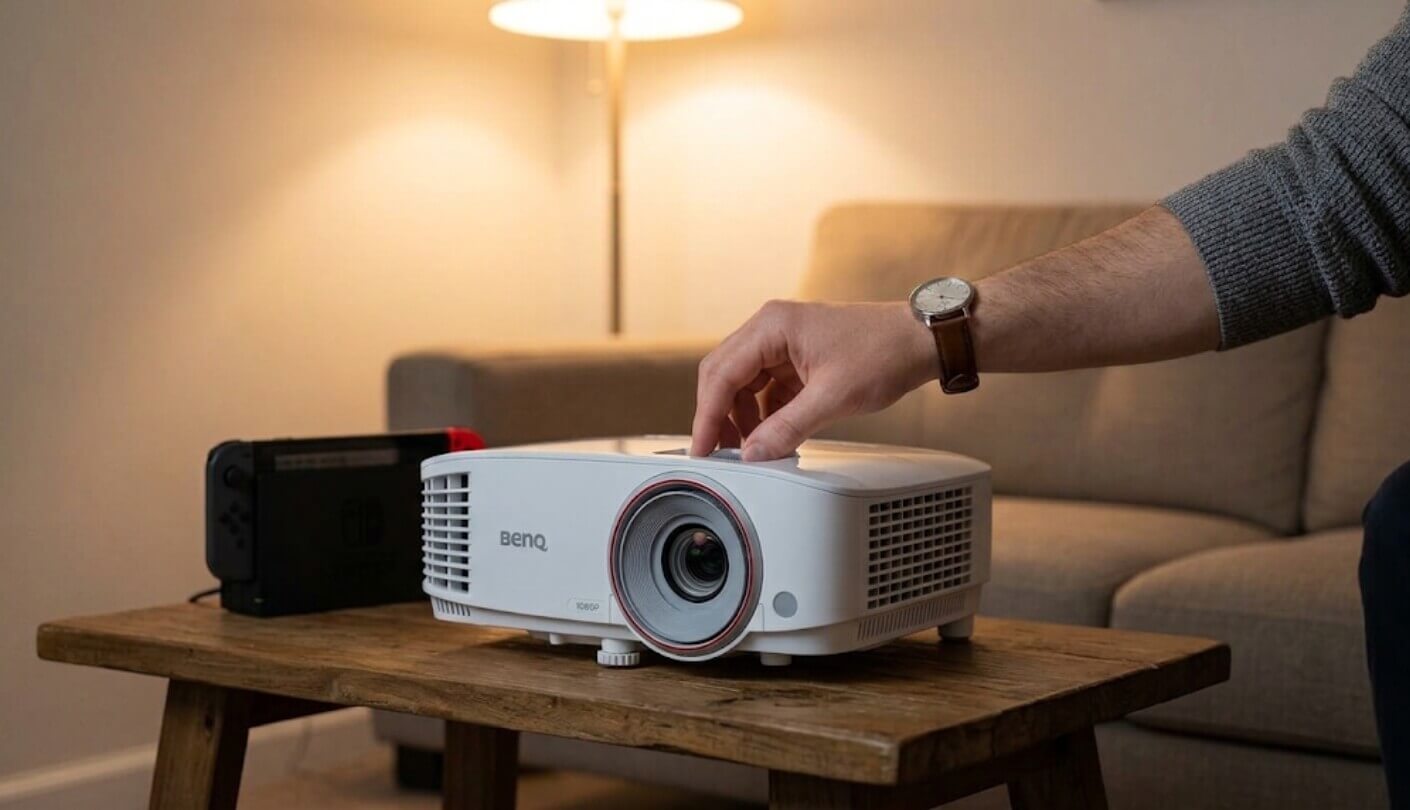
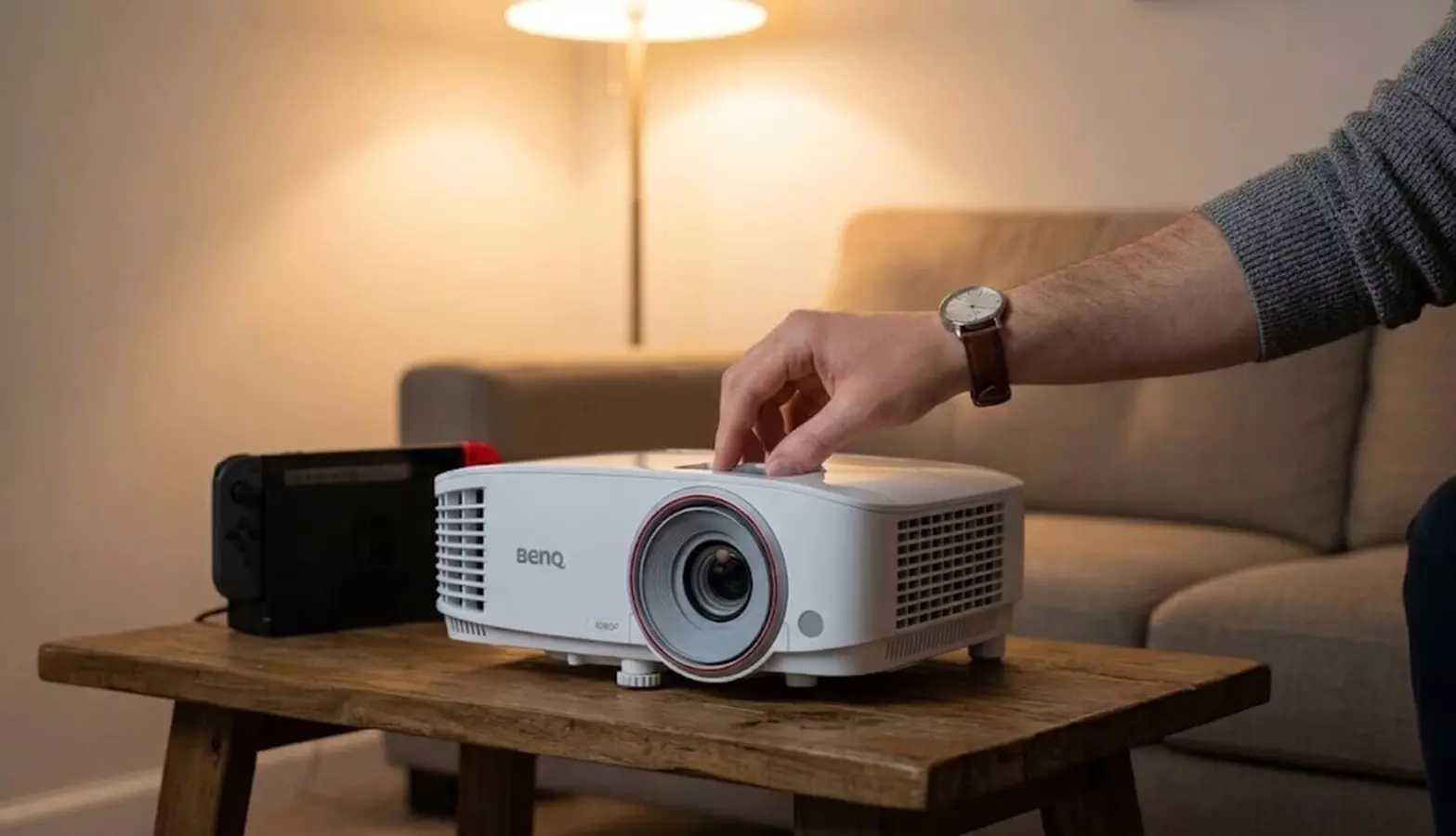
The BenQ TH671ST set up for console gaming in a small living room. Source: gagadget.com
Here is the published sheet, with the console-relevant rows grouped near the top:
Spec
BenQ TH671ST
Projection System
Single-chip DLP with a 6-segment RGBYCM color wheel
Native Resolution
1920 x 1080
Rated Brightness
3,000 ANSI lumens
Measured Brightness
2,638 ANSI lumens in Bright mode, 1,960 in Game mode
Input Lag
16.4 ms with Fast Mode on, about 50 ms with it off
Throw Ratio
0.69 to 0.83:1, 100 inches from roughly 5 feet
Zoom
1.2x optical, manual
Lens Shift
None, fixed offset for table placement
Keystone
Vertical only, plus or minus 40 degrees
Contrast
10,000:1 quoted full on and off
Color Coverage
92% of Rec.709
Brightness Uniformity
63% measured
HDR Support
None
Picture Modes
Bright, Vivid TV, Cinema, Sport, Game, User
Light Source
240W lamp
Lamp Life
4,000 h Normal, 10,000 h Economic and SmartEco, 15,000 h LampSave
Fan Noise
33 dB Normal, 29 dB Economic
Inputs
2 x HDMI 1.4a (one with MHL), VGA in, VGA out, RS-232
Audio
5W mono speaker, 3.5 mm in and out, 5 sound presets
USB
1 x USB-A for powering a dongle, 1 x mini-B for firmware
3D
Full HD 3D with DLP Link glasses, glasses not included
Ambient Light Feature
LumiExpert, adjusts gamma to room lighting
Weight
5.95 lbs
Warranty
3 years on the projector, 1 year or 2,000 hours on the lamp
Everything about the Switch pairing sits in 2 of those rows. Resolution and refresh stop at 1080p60 on both the console and the projector, so neither end pays for something the other cannot use. Throw ratio explains the rest, and it is why a 100-inch picture works in a room that would send a standard projector out the back door.
Five Feet From the Wall: the Short Throw Advantage
Throw ratio tells you how far back a projector has to sit for a given picture width. A typical living-room model runs around 1.5:1, so 100 inches of image needs about 11 feet of clear floor behind the screen. This BenQ runs 0.69 to 0.83:1, which puts the same picture on the wall from a little over 5 feet. In my room that difference decided everything, because 5 feet is a coffee table and 11 feet is the far wall with a sofa in the way.
Short throw fixes the problems people quietly live with. Nobody casts a shadow when they cross the room for snacks. The projector sits in front of the sofa instead of above it, so the fan noise is not next to anyone’s ear. There is no 25-foot HDMI run taped along the skirting board, since the Switch dock sits next to the projector on the same table. For a console you unplug and take to a friend’s house, that last point matters more than any spec.
Buy a projector for the room you have, then for the picture. A brilliant image that needs 11 feet of floor is worth nothing in a flat that offers 6.
The 1.2x zoom is unusual at this size and it saves a lot of fiddling. Instead of shuffling the table back and forth to match the screen, you set the projector down roughly where it belongs and turn the ring to fit the picture. The lens offset is designed for a low table, so the bottom of the image sits near the lens centerline and climbs from there. Put it on a shelf that is too high and the picture will land too low, because there is no lens shift here to correct it.
A word on the one thing short throw cannot do. Every Digital Light Processing projector of this type draws colors in sequence through a spinning wheel, and a minority of viewers catch brief color flashes at the edges of bright objects. I see them occasionally on white subtitles against black. My partner has never seen one in her life. It is worth buying from a retailer with easy returns for exactly this reason.
Connecting the Switch: Ports, Cables and Sound
The Switch dock has one HDMI output and no analog audio jack, so everything travels down a single cable. That makes the projector the audio device too, which is why the 5W speaker on this model matters more than it would elsewhere. It is mono, it is not going to impress anyone, and it is still loud enough to fill a family room with kart engines and Nintendo jingles.
The rear panel is short, and each socket earns a different amount of your attention:
2 x HDMI 1.4a inputs, one with MHL, which is plenty for the Switch at 1080p60 and the ceiling for anything better
A 3.5 mm audio output that takes the sound straight to a soundbar or a pair of powered speakers
A 3.5 mm audio input for a laptop or a phone when the picture comes from VGA
USB-A that supplies power to a streaming stick, and nothing else, since it cannot read files from a drive
VGA in and VGA out for older kit and for feeding a second display
RS-232 for control systems, which most homes will never touch
A couple of things I learned the awkward way. The Switch dock picks 1080p60 on its own, so the console needs no setup at all, but the projector does: set Game mode as the profile for that HDMI input before anyone touches a controller. And if a soundbar is joining the party, feed it from the 3.5 mm output, since this model has no HDMI audio return path to hunt for.
A Month of Mario Kart, Films and Sunday Football
My test rig was deliberately ordinary: a white wall at 100 inches, an original Switch, and a Switch 2 borrowed from a colleague for 1 week. Here is how the month broke down:
What I Played or Watched
How It Looked
What Bugged Me
Mario Kart, 4-player split screen
Colors popped, inputs felt identical to the TV in Game mode
Each quarter of a 1080p screen is a small window, so read the HUD from closer in
Zelda at night, lights off
Shadow detail held up better than the price suggests
Black looks dark grey on a white wall. A grey screen would help
Switch 2 docked for a week
Handshake settled at 1080p60 and games ran fine
The console’s 4K and 120 Hz modes sat unused the entire time
Sunday football, blinds half open
Sport mode punched through daylight on a 100-inch image
The fan runs at full tilt in Normal power, audible between plays
Film night at 24 frames
Cinema mode colors were close to right out of the box
I saw the occasional judder on slow pans, a known quirk on this model
Backyard on a bedsheet
One power lead, one console, 10 minutes to set up
Short throw means the projector sits in the middle of the lawn chairs
Two sessions stuck with me for opposite reasons. On a Friday with 4 kids racing each other on a 100-inch wall, not one person mentioned the projector all evening, and that silence is the best review this kind of product can get. Then came a dark thriller after midnight, where the bars above and below the picture glowed a soft grey and stayed there for 2 hours. Deep black costs more than this, and any review that tells you otherwise is selling something.
Lamp Hours, Fan Noise and Running Costs
The unboxing. Projector, remote with batteries, power cable, a VGA cable and the printed guide. No HDMI cable, no ceiling mount, no bag and no 3D glasses. Buy a decent HDMI cable with the projector, because a cheap one is the most common reason a console handshake fails, and the symptom looks exactly like a dead projector.
Lamp arithmetic. BenQ quotes 4,000 hours at full power, 10,000 in Economic and SmartEco, and 15,000 in LampSave. Those are big numbers for a 240W lamp. At 2 hours of gaming a night in Economic mode you are looking at well over a decade before the module needs changing, and replacement lamps for this model are among the cheaper ones in projector land. The warranty is 3 years on the projector and 1 year or 2,000 hours on the lamp, which is longer cover than most rivals offer.
Living with the fan. The rating is 33 dB in Normal power and 29 dB in Economic. Normal is a steady rush that surfaces during quiet dialogue, Economic disappears into the room, and after week 1 I left it in Economic for everything except daytime sport. If you add anything later, make it a grey screen, which lifts perceived contrast on a white wall further than any menu setting manages. A soundbar comes next, mainly for films, since the onboard speaker handles game audio far better than it handles a score.
Rainbows, Uniformity and the Setting You Must Change
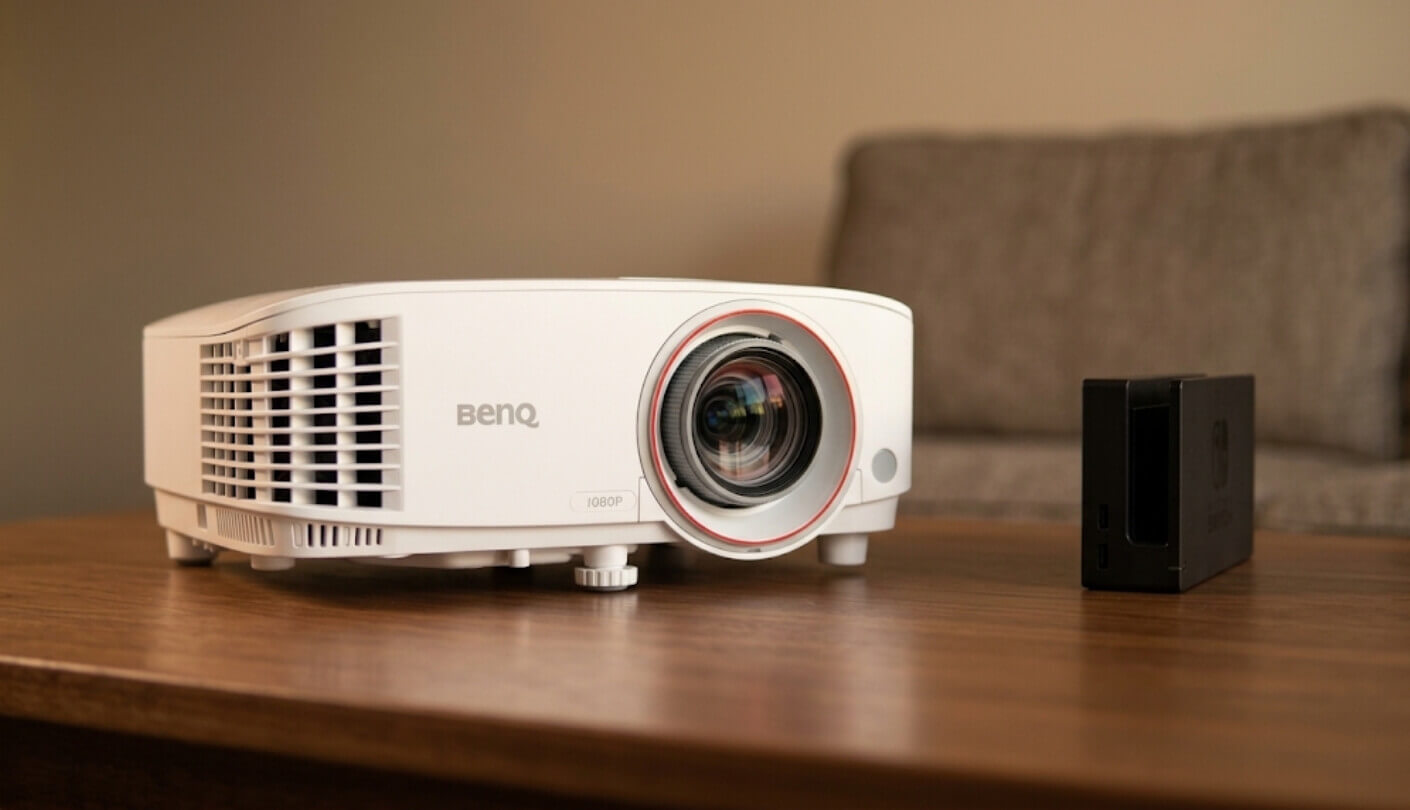
The Switch dock and the projector sharing one table. Source: gagadget.com
One menu setting decides whether you love or hate this projector, and changing it takes about 10 seconds. The 16.4 ms lag figure applies only with Fast Mode turned on. Fast Mode is enabled by default in Game mode and switched off everywhere else, and with it off the lag climbs to roughly 50 ms. That is 3 frames, and it is enough to make a platformer feel soft in your hands. Anyone who plugs in a console, picks Cinema mode because the picture looks nicer, and then blames the projector for feeling laggy has met this exact trap.
Next, the two optical quirks. Brightness uniformity measured 63%, meaning the bottom center of the image is brighter than the top corners. On a game or a film you will never spot it. On a white slide or a menu screen it is visible if you look. And rainbow artifacts, mentioned above, show up on this model a little more often than on newer DLP units, though they are brief. Neither issue is a defect. Both are the cost of a single-chip design at this price.
Owners have also flagged two behaviors worth knowing. The LumiExpert ambient sensor and SmartEco lamp mode can cause visible brightness pumping when a scene swings from dark to bright, and switching the lamp to Normal or Economic settles it. Separately, some units skip a frame now and then with 24 fps material, which shows up as a small jump in a slow pan. BenQ issued firmware addressing the flicker, so check the support page for your unit before you go hunting in the menus.
The last limitation is age. This model has been on sale for years, it uses HDMI 1.4a, and it has no HDR. For a Switch that combination costs you nothing. For a Switch 2, a PS5 or an Xbox Series X, it caps everything those machines do well, and I would spend the money on a 4K model instead. Buy it for the console in the title and the match holds up.
TH671ST vs Optoma GT1080HDRx vs BenQ TH575
Shoppers looking at this projector usually end up with 2 other tabs open. One is the short throw gaming rival from Optoma, the other is BenQ’s own brighter model that asks for more room. Figures come from the makers and from published measurements:
Spec
BenQ TH671ST
Optoma GT1080HDRx
BenQ TH575
Resolution
1080p
1080p
1080p
Rated Brightness
3,000 lumens
3,800 lumens
3,800 lumens
Throw Ratio
0.69 to 0.83:1
0.5:1
1.49 to 1.64:1
Distance for 100 Inches
About 5 ft
About 4.2 ft
About 10.8 ft
Optical Zoom
1.2x
1.3x
1.1x
Input Lag
16.4 ms at 1080p60
8.4 ms at 1080p120
16.7 ms at 1080p60
Highest Signal Accepted
1080p60 over HDMI 1.4a
4K input over HDMI 2.0
1080p60 over HDMI 1.4
HDR
None
HDR10 with 4K input
None
Quoted Contrast
10,000:1
50,000:1
15,000:1
Built-In Speaker
5W mono
10W
10W
Lamp Life, Longest Mode
15,000 hours
15,000 hours
15,000 hours
Weight
5.95 lbs
6.61 lbs
About 6.3 lbs
Paper favors the Optoma, and there is no point dressing that up. It runs brighter, accepts a 4K signal and tone maps HDR10 into its 1080p panel, hits 8.4 ms at 120 Hz for a PC or a current console, and its 0.5:1 lens tucks even closer to the wall. The TH575 also outshines the hero on lumens, which counts in a room with big south-facing windows.
Where the TH671ST holds its ground is the part that decides how a Switch evening feels. Its color is the most accurate of the three at 92% Rec.709 with well-judged Cinema and Sport modes, and Nintendo art leans on color more than on contrast. It is the lightest of the three by a small margin, which counts if the projector moves between rooms. Against the TH575 the case is simple: that model needs nearly 11 feet for a 100-inch picture, and a small living room does not have 11 feet.
Which leaves a clean split by room and console. Small room plus original Switch: the TH671ST, and it is the one still sitting on my table. Gaming PC, Switch 2 or PS5: the Optoma, whose speed and HDR finally get used. Bright room with 11 feet of floor behind the sofa: the TH575, which will look brighter than either short throw model in daylight.
BenQ TH671ST: What Owners Report
Owner Reviews
This model has been on sale long enough to leave a deep trail of public feedback, and it reads the same way year after year. Small-room buyers sound delighted. Film watchers sound conflicted. A third group spends its whole review on lamp flicker in the automatic power modes.
Praises: “Living room is 11 feet wide total and I still get a 100 inch picture. Projector sits on the coffee table, kids play Mario Kart, nobody blocks the light. I had written off projectors for this flat completely.”
“the speaker is way better than it has any right to be. we use it in the garden with no other kit, just an extension lead and the switch dock. my neighbour asked what soundbar we were using”
“Setup took about 15 minutes with the zoom ring and the keystone. No maths, no mount, no drilling. For someone who rents this was the whole reason I bought it.”
“Coming from a 55 inch TV this is a different hobby. Zelda at 100 inches with the lights off made me restart the whole game. Blacks are grey-ish if you care about that but I stopped noticing within a week.”
“Been running mine 4 years, still on the original lamp in eco. Replacement bulbs are cheap enough that I stopped worrying about hours.”
***
Drawbacks: “THE FLICKER. On smarteco the brightness pumps up and down when a scene changes and it drove me mad for a week before I found a forum post telling me to switch the lamp to normal. Fixed it, but nothing in the manual warns you.”
“i see rainbows. little flashes of red green blue on white text. my wife sees nothing at all and thinks im making it up. if you know youre sensitive to dlp do not buy this without a return window”
“Games are great, films are a mixed bag. There is a stutter on slow camera pans in 24fps movies that I never fully got rid of. Also the fan on full power is loud enough that I keep it in eco permanently.”
Sort those by how fixable they are and the list gets short. Lamp flicker and fan noise both answer to the same lever, the power mode, and Economic settles them together. The stutter on 24 fps material is real, it affects films and leaves games alone, and no setting removes it completely. Rainbow flashes depend on your own eyes, which is why I keep repeating the same advice: buy where returns are painless and find out in week 1.
Should You Put It Next to Your Switch?
Match the projector to the console and this one lands almost perfectly. The Switch gives you 1080p at 60 Hz, this projector shows 1080p at 60 Hz with 16 ms of lag and accurate color, and the short lens means a 100-inch picture fits a flat that could never host a normal projector. Nothing is oversold and nothing is wasted. For a Switch household in a small room, I have yet to find a cleaner match at this price.
Gathered in one place, the limits read like this: no HDR, no 4K, black that comes out dark grey, an audible fan at full power, rainbow flashes for a minority of viewers, and one menu setting that has to be right before anything feels fast. Newer consoles deserve newer hardware, and the Optoma covers that crowd without giving up the short throw. For an original Switch in a small room, my experience was simple enough to sum up in a sentence: within a fortnight the television in that house had become the backup screen.